 CCTV CAMERAS
 Access Control System
Sale



+254-726-819-181

Shipping

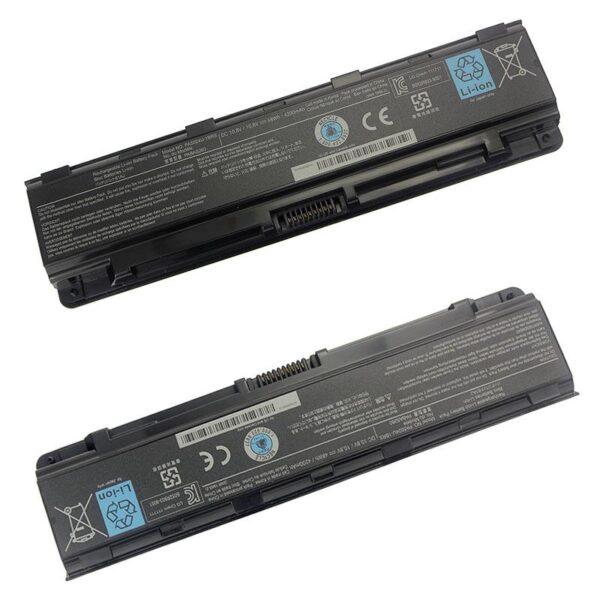

The Dell E5400 is a reliable and robust laptop known for its performance and durability. One of the critical components that ensure the laptop runs efficiently is its battery. A high-quality battery not only extends the device’s usability but also enhances its overall performance. This guide provides an in-depth look at the DELL E5400 Battery, including its specifications, benefits, maintenance tips, and replacement options.

The Dell E5400 battery is designed to offer extended use and reliability. Here are some of the key features and specifications:
A genuine DELL E5400 Battery ensures that your laptop runs smoothly and efficiently. It provides a stable power supply, which is crucial for maintaining the laptop’s performance, especially during intensive tasks.
Original batteries from Dell are built to last. They undergo rigorous testing to meet high-quality standards, ensuring a longer lifespan compared to third-party alternatives.
Safety is a significant concern when it comes to laptop batteries. Genuine Dell batteries are designed with safety features such as overcharge protection, short circuit protection, and thermal protection, reducing the risk of damage to your laptop and personal safety.
To maximize the lifespan of your DELL E5400 Battery, it is essential to follow proper charging cycles. Avoid letting the battery drain completely before recharging it. Instead, aim to recharge it when it reaches around 20-30% capacity.
Excessive heat can significantly reduce the battery’s lifespan. Ensure your laptop is well-ventilated and avoid using it on soft surfaces like beds or couches that can block ventilation.
If you need to store your laptop for an extended period, ensure the battery is charged to about 50% and kept in a cool, dry place. Avoid storing it fully charged or completely drained.
When it comes time to replace your DELL E5400 Battery, opting for a genuine Dell replacement is the best choice. These batteries are specifically designed for your laptop model and come with a warranty, ensuring peace of mind and reliability.
While third-party batteries are available and often cheaper, they may not offer the same level of performance and safety. If you choose a third-party battery, make sure it is from a reputable manufacturer and comes with a good warranty.
Replacing the battery in your Dell E5400 is a straightforward process. Here’s a step-by-step guide:
The DELL E5400 Battery is an essential component that significantly impacts the laptop’s performance and usability. Opting for a genuine Dell battery ensures enhanced performance, safety, and a longer lifespan. By following proper maintenance tips and replacing the battery with a high-quality alternative when necessary, you can keep your Dell E5400 running efficiently for years to come. Whether you’re a student, professional, or casual user, a reliable battery is crucial for maximizing your productivity and enjoyment of your Dell laptop.


No account yet?
Create an Account
Reviews
Clear filtersThere are no reviews yet.